For independent NDIS support workers
Your NDIS business,
run from
your phone.
Shift tracking, invoicing, and compliance — built around the work, not the paperwork.
Works on iPhone and Android · No app store needed
How Timeline runs your week
Twelve moments.
Two acts.
Plan, run, and finalise a shift — then invoice, chase, and close the books. The whole craft, handled from the phone that's already in your pocket.
A shift, start to finish
01 · Plan
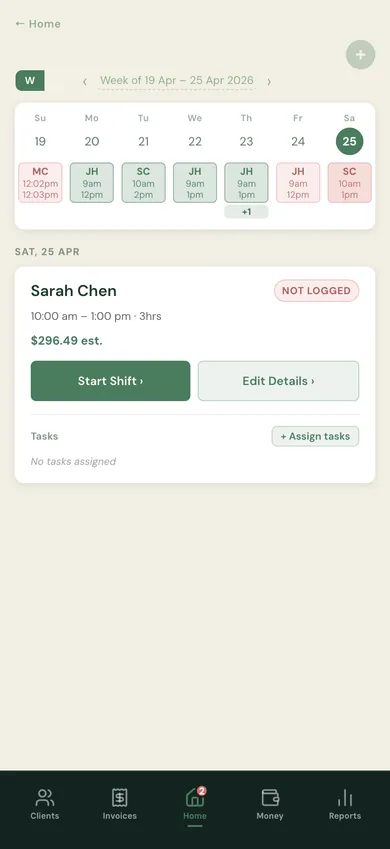
Your week at a glance.
Every client, every shift, planned — the whole week on one screen before it starts.
02 · Start
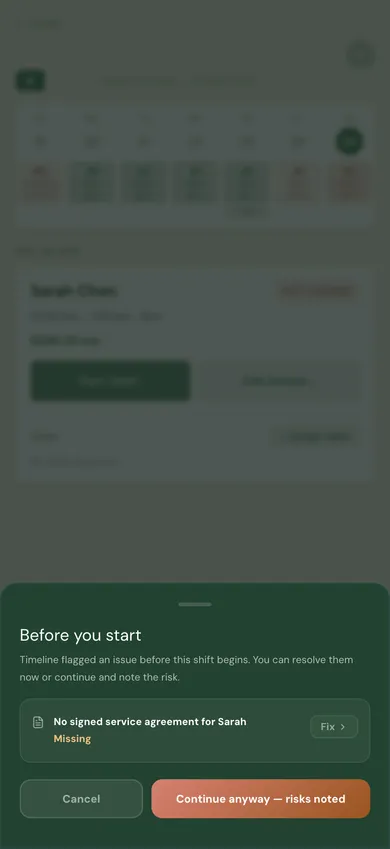
Compliance-gated start.
If your WWCC expired, the shift doesn't start. No quiet bypass, no liability later.
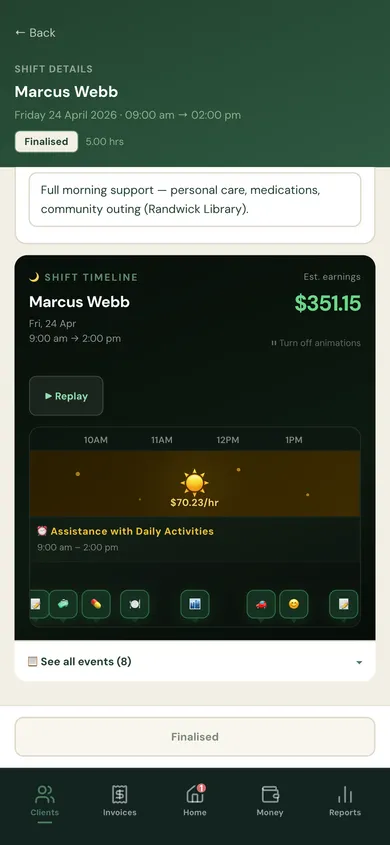
03a · Log
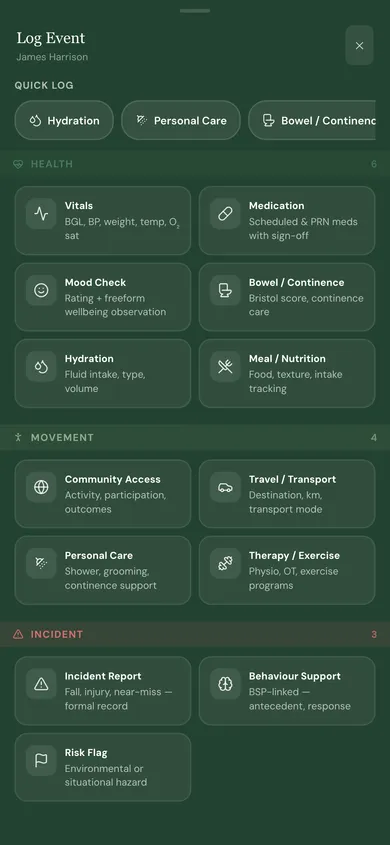
Events, tagged as they happen.
Meds, community access, moods, incidents — categorised, time-stamped, typed only once.
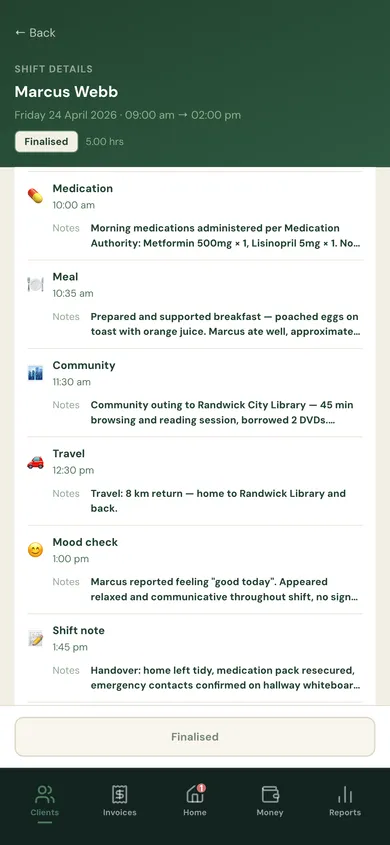
03b · Log
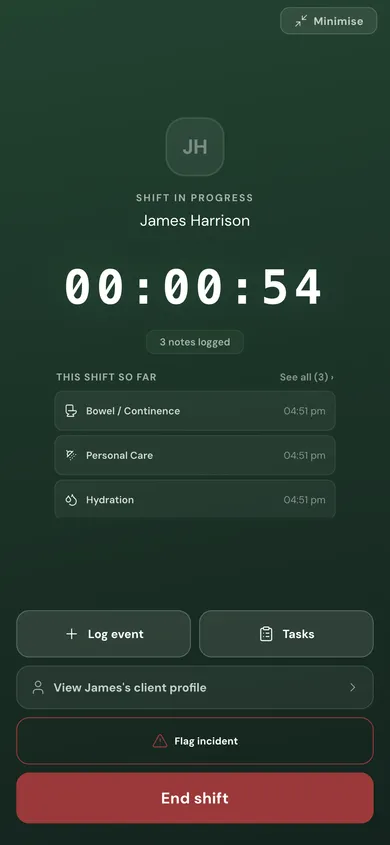
Every event, right there.
Tap the event log during a shift and every entry is visible, ordered, editable if needed.
04 · End
The draft saves itself.
Clock off and the shift record is already written. Nothing to reconstruct at 9pm.
05 · Review
Every edit audited.
Finalised shifts still take amendments — but each one is timestamped with who, what, why.
And when the shift ends, the work it creates ends too.
Your business, handled
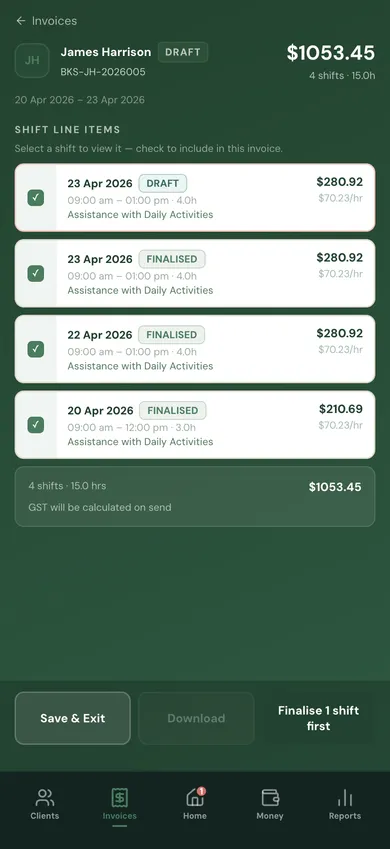
06 · Invoice
Invoices draft themselves.
Shifts flow into line items. NDIS codes and GST already calculated. Two taps to send.
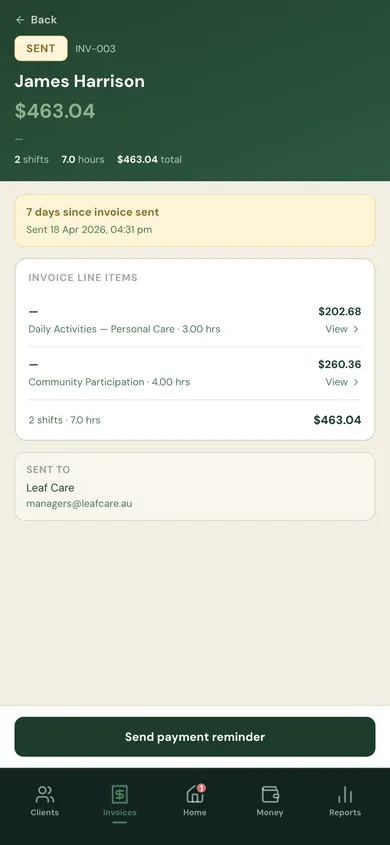
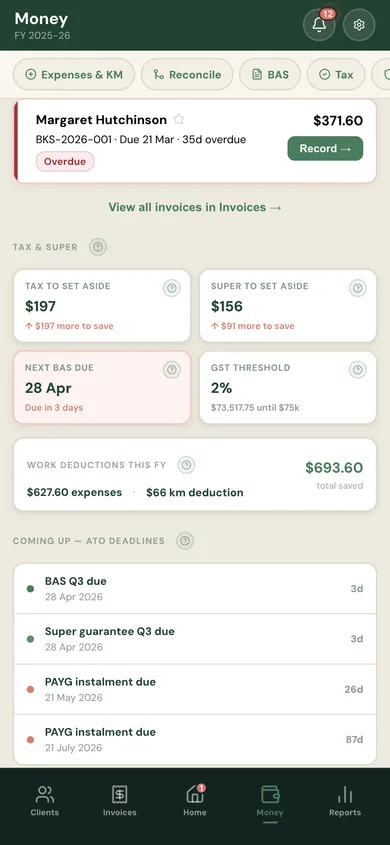
07a · Paid
Know exactly what's overdue.
Every unpaid invoice surfaces immediately — who owes what and for how long.
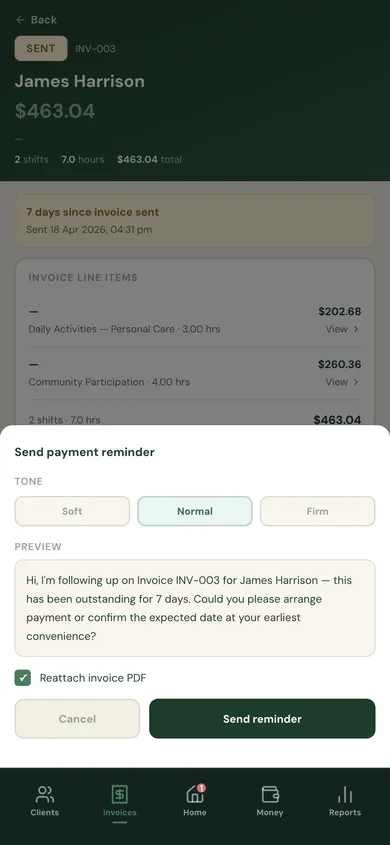
07b · Chase
Reminders, already written.
Soft, normal, firm — pick the tone and Timeline drafts the email. One tap to send.
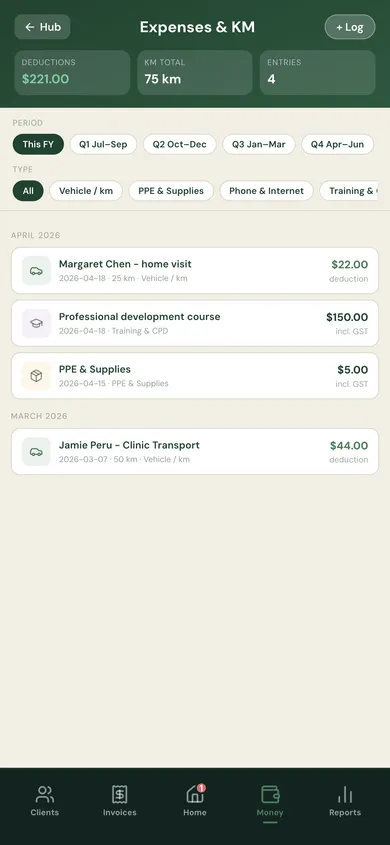
08 · Expenses
Captured for June 30.
Every tax-deductible dollar, every kilometre, logged as you go. Not dug out in July.
09 · Reports
BAS-ready. Tax-ready. Audit-ready.
One tap for your quarterly BAS, your annual tax pack, or an NDIS audit export. Already compiled.
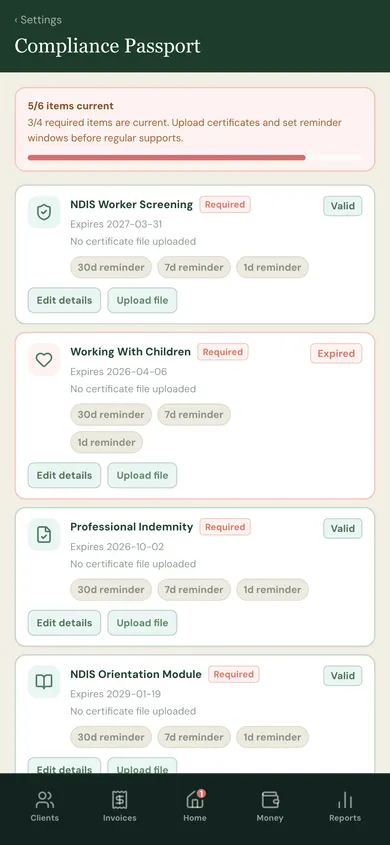
10 · Compliance
Credentials, always current.
The app tells you before they lapse — WWCC, police check, first aid. No surprise at the door.
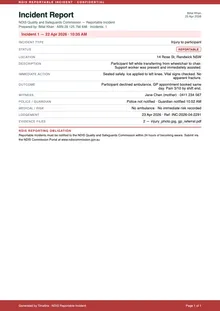
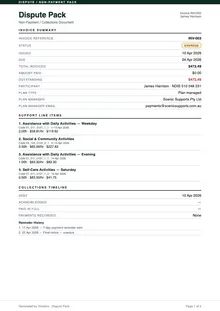
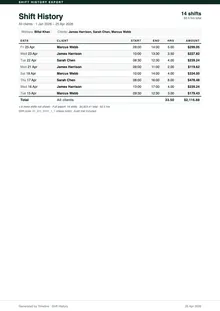
Exportable Reports
Every report you'll ever need.
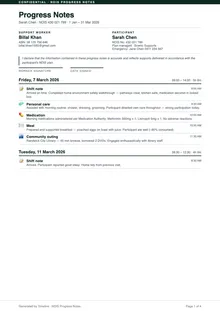
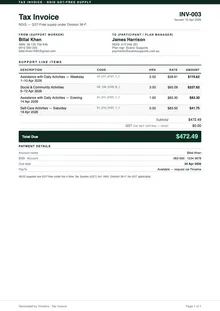
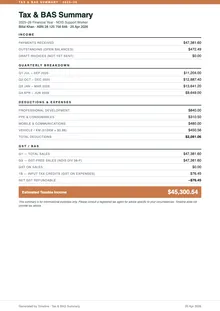
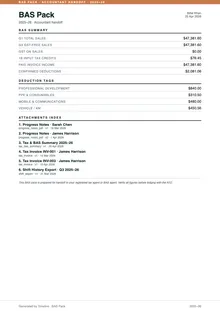
NDIS progress notes, tax invoices, BAS packs, incident reports — generated from your real data, formatted to spec, ready to send or file.
Pricing
Always less than 1% of what you invoice
The fee scales with your income. Free when you're starting out. Never more than $99 a month, no matter how much you earn.
| Monthly income | Monthly fee |
|---|---|
| Under $500 | Free |
| $500 – $999 | $5 |
| $1,000 – $1,499 | $10 |
| $1,500 – $1,999 | $15 |
| $2,000 – $2,999 | $20 |
| $3,000 – $4,499 | $30 |
| $4,500 – $6,999 | $45 |
| $7,000 – $11,999 | $70 |
| $12,000 and above | $99 |
Charged on the 7th
Your fee for March is the total you invoiced in March. It comes out on 7 April — giving you a week to receive the payments you already sent out. By card or PayTo; you pick at signup.
Pay what you used
A quiet month? You pay less. A busy month? You pay more. The bracket is set by that month's invoiced income — no smoothing, no retroactive true-up, no surprises on your statement.
Every feature, every bracket
Shift tracking, invoicing, compliance passport, incident logging, reports — all of it is included from day one. Nothing is held back for a higher tier.
Why Timeline
Built to last, not to upsell
Timeline exists because the tools available to support workers weren't good enough. That's still the reason we're building it.
Your data is yours
Shift records, client notes, and documents belong to you. Timeline doesn't sell your data, share it with third parties, or use it to train anything.
Built by a support worker
Timeline started as a tool made by someone who did this work. The things it gets right come from four years of doing shifts, writing notes, and chasing invoices.
No locked tiers
Shift tracking, invoicing, compliance, reports, incident logging — the full product, from day one. The price changes with your income. What you get doesn't.
Get started
Less admin.
More care time.
Install Timeline on your phone and start your first shift today.
Install Timeline — it's freeWorks on iPhone and Android · No app store needed · Free to start